Friday, 24 May 2019

Bulk Upload and Bulk Verify your Listings with Cylex

Image by mohamed Hassan from Pixabay 
Manage and organize multiple locations from one place

If you’re managing tens, hundreds, or even thousands of listings, you’ve got a big job on your hands, unless you do listing upload and verification in bulk.

Now, you can easily manage your online business presence through a single Cylex platform.
Multi-location businesses, including franchises, corporate chains and service-area businesses, face unique challenges when it comes to local listings management.

Over the last years, Cylex has added more features and support for enterprise brands and users to manage locations in bulk. We rolled out a platform that makes it easier to manage multiple brands and locations in a simpler interface.

For any business that has multiple locations or multiple stores, we make it easy to submit, edit and verify all of your listings through a bulk upload process.

Here are some simple steps to make it happen.
Step 1: Download and Edit Data Template
Step 2: Upload File and Edit Errors
Step 3: Publish and then verify your listings!
Step 4: Submit payment
A more detailed explanation on how to use our Cylex Bulk Upload platform can be found here.

Easy to use and no setup fees. Just create a user & upload an XLSX file with your locations.
Follow our guidelines & the upload will be quick & easy.

There’s a fee of ₤1.5/entry/file for each XLSX file you upload, whether you update or add new listings. Depending on the number of listings you want to manage, we can offer different discounts. Ask for more details at info@cylex-international.com.

Friday, 5 April 2019

Cylex teams up with the geocoding startup what3words


We are now offering the what3words feature set within our address validation API.
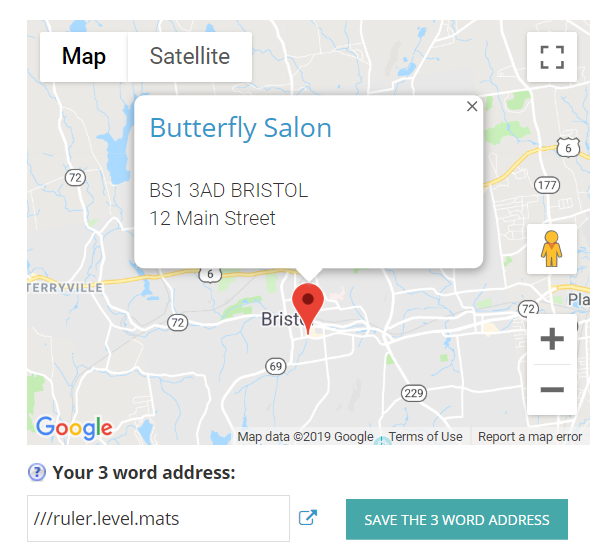
The collaboration between us and what3words means that businesses and users using our local search platform can now find the what3words for a business location, or lookup an address using its 3 word description. With the help of what3words we can assign a three-word ‘address’ to a business location.

Three words gives it enough variables to address every point on the planet. This unique combination of three words gives you a precise location for anything, anywhere in the world, anytime. It is a game-changer and it’s backed by some very large transport companies.

what3words is the simplest way to talk about location. It has divided the world into a grid of 3m x 3m squares, each with a unique address made from 3 words.

This solution helps users who need to find or share a location, such as aid and development, asset management, delivery, post and ecommerce, emergency response, exploration and sport, festivals and events, GIS, national mapping and government, navigation, property search, taxis, and travel industries.

Smarter business searches with Cylex and what3words

If you’re looking for a local business, your first stop should be Cylex, one of the best online local search platforms. As part of Cylex’s integration of what3words, users can now search via a 3 word address, making finding what they were looking for a whole lot easier.

Search and discover in 3 words


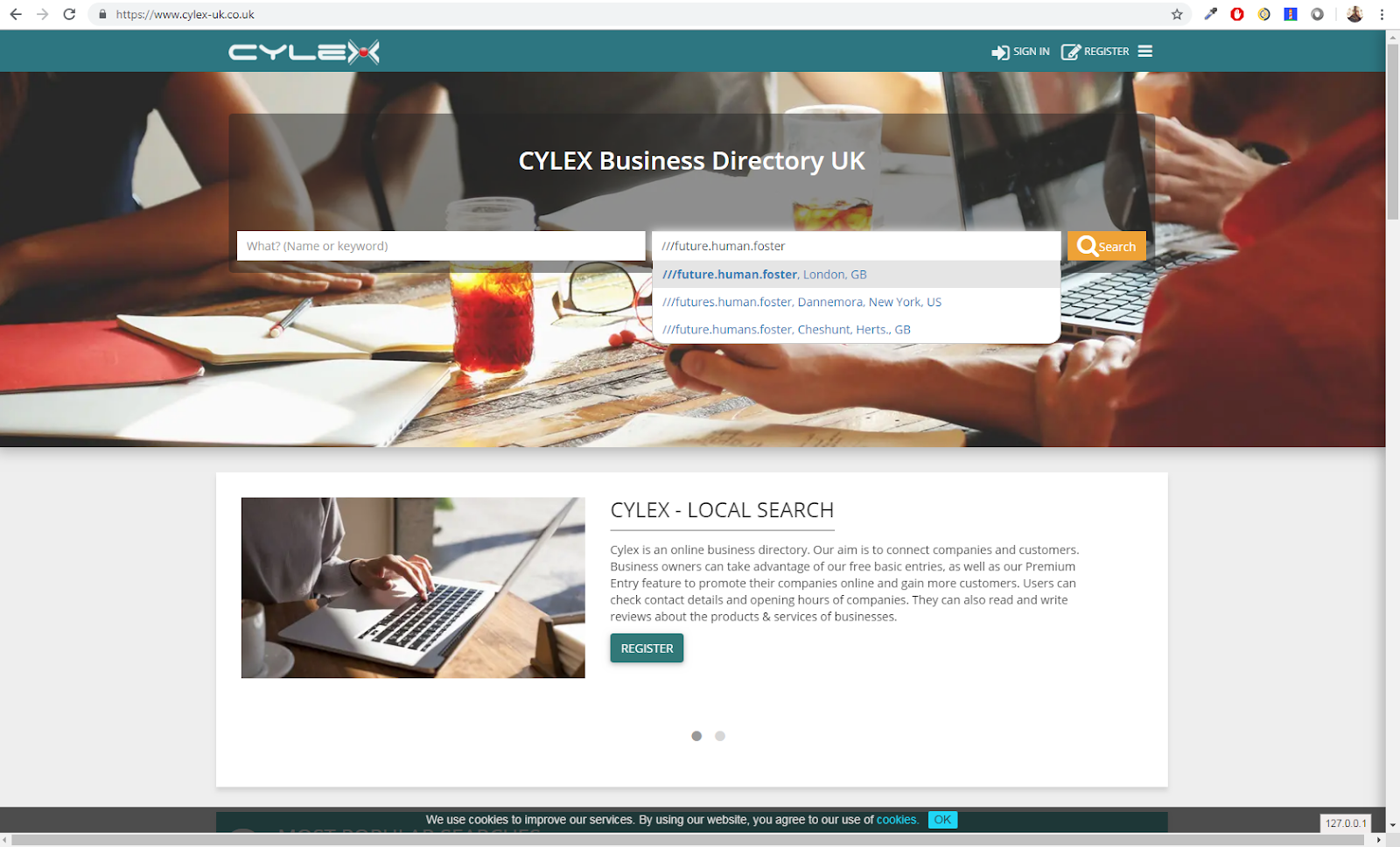
As part of the integration of 3 word addresses, Cylex has now added what3words to their search functionality. Users can now use the search bar to locate a particular business, simply by entering its 3 word address into the search field.

How it works?

All businesses registered on Cylex can benefit from this new feature. At the touch of one simple button your 3 word address will be automatically generated based on your location.

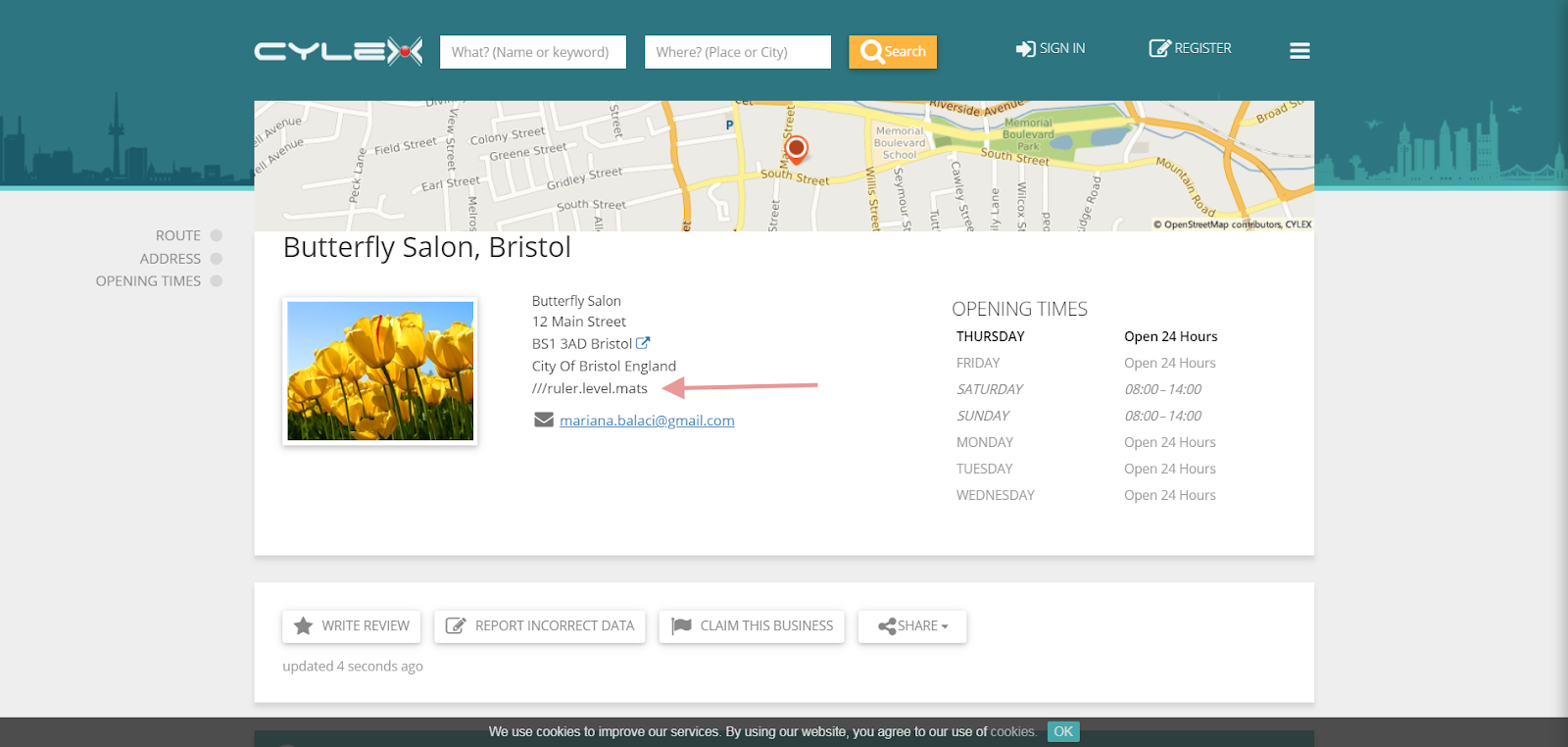
The 3 word address will also be displayed on your company profile. This way your clients will be able to find your business a whole lot easier.


Anyone can search for a business by using its 3 words address. For a more specific localization, start typing in a part of the 3 word address and select your targeted location from the dropdown list.


About Cylex


Cylex Local Search is a free online platform for businesses, which puts a great value on one of the most important aspects of local search, ensuring that a business’ information is consistent, accurate and accessible throughout the web. We are on a constant path to develop innovative solutions to help our clients grow their customers’ base and online presence.


Now, finding a business around the world is a lot easier with Cylex and what3words.
Three simple words for an easier way to communicate precise business locations around the world. Try it for yourself!  

Friday, 1 March 2019

HOW TO WRITE THE PERFECT QUOTE REQUEST?


If you’ve come to Cylex with something to cross off your to-do list, you ended up in the right place.
The ‘Cylex Quote Request’ platform, if used the right way, can help you save hours of work.
It’s FREE, easy to use, no obligations, fast and absolutely secure.  Tell us what you are looking for and we will vet and contact the firms based on your location and the details of your request.

To get started, all you have to do is to post a request on our website via our form, and we’ll take it from there. The form consists of 4 specific questions related to the service or product you are looking for.

1. What do you need?


Use just a few words to name what you are looking for. Think of it as the title of your request.
For e.g., if you are looking for a plumber to fix a leak, you can add just one word, it will be more than
sufficient.

E.g. What do you need?
        Plumber

2. Where do you need it?


This field is very important because it states the location where you need the job to be effectuated.
Start by typing in the postcode or the city and then choose the desired location from the drop-down list. The more info you add the shorter the list gets. It’s very important that you choose from the list your location, this will ensure the companies we contact are really in your area.


E.g. Where do you need it?
        SA39 9HT, Llanfihangel-Ar-Arth, Carmarthenshire

3. Describe what you need 


Describe what you are looking for & provide as much detail as possible. Companies are unlikely to respond if you provide a small amount of info. Upload an attachment if that helps and don’t include your contact information in the description of the quote request. Please be as detailed as possible - the more details you provide, the better the businesses can evaluate your request, determine if they are the right fit, and provide you with an accurate offer.


E.g. Describe what you need

I live on the top floor of a 4-storey block of flats. The heating is a communal system which provides central heating and hot water to all the flats. The heating comes on in October and goes off in March of each year. This year, when the heating was turned on, my radiators did not get hot. I bled them, and water spurts out but is cold. I reported this to the managing agents who told me that it may be due to residue in the radiators due to me being at the end of a 'leg' of the heating system. Basically, I need to know if there is anything that can be done, and how much it would cost. Thank you


4. When do you need it?


You will need to select the due date of your request. When you choose this date, please keep in mind the difficulty of your request because it is possible that some businesses need a little more time to prepare a proper offer for your request. Also, don’t forget that most people don’t work on the weekends or during holidays, so please take into consideration this aspect as well. Add a few days more just to make sure that they actually get to see your request before it expires.
Once a quote expires, no one will be able to post an offer.
Try to add the maximum timeline you are willing to wait for an offer to come in. For e.g., if today
(01 March 2019) you are looking for a plumber to change the sewer lines for your house, to make a proper bid the plumber needs to put together a price list for the items he may need and some of them
may depend on the supplier he/she is working with. So it would be impossible to give you an answer
in just 2-3 days. For cases like this, we suggest adding at least 2-4 weeks.
E.g. 01 April 2019 (end of this day)

Next, all we need is a way to contact you.
We will ask for your email address and phone number. While the phone number is optional, it is a great way for providers to get in touch with you quickly (especially if your request is urgent). If it is your first request on Cylex, it is important that you confirm your email address. This is done by clicking on the link within the automated email our system will send you. It’s very important you complete this step. You can choose to log in using your social media account (email confirmation is done automatically) or your Cylex account. If you don’t have a Cylex account yet, don’t worry, we will automatically register you, just complete the fields of the contact form.
That's it - after you submit your request (& confirm your email), you just sit back and wait for the
offers to come in.

One last thing: Some of our members work really hard to provide you with a quick offer
so it goes to you to be just as responsive. Let them know that you have received their offer and where
you are in the decision-making process. This is also a great opportunity for you to ask questions and
learn more about their previous work. You may also receive questions from them, in case the details
of your quote are not enough for them to post an offer. Be sure to answer them as quickly as you can,
add images or files if it helps.

Monday, 5 November 2018

5 Proven Tips to Write a Strong Offer on the 'Cylex Quote Requests' Platform


Photo by rawpixel on Unsplash

How ‘Cylex Quote Requests’ works?

Every day we have several thousand potential clients who request a quote on our platform.
Cylex sends you these quotes when they match your quote request settings.
Consider them as the customer’s way to start a conversation with you. 
It’s now up to you to win them over. It is extremely important that you put the time and effort to differentiate yourself from the others. Carefully read and re-read all the requirements and make sure that you respond accordingly by posting a relevant offer.

Here are 5 simple and proven things you can do to place a strong offer:

1. Be professional and friendly in your offers

Make sure you write an individualized message by including the customer’s name and add specific details about the quote. When you greet a customer by name, make sure you spell it correctly. Focus on exactly what they are looking for, customers want to feel heard and not that they are receiving a generic message.


2. Include a brief summary of professional experience and skills

Customers want to know why they should buy from you or why they should hire you. Use this opportunity to tell them what makes you great and what sets you apart from the others.


3. Clearly state your rate and explain the estimate
Give the customer a price or general estimate and what that price includes.
Sending a number is only one part of the equation. You need to let the customer know what is and what isn’t included. Showcase the value you bring to the table.


4. Top notch company profile


Your profile should reflect the best about your business. Be detailed, tell a great story, include evidence of your past work through images, great reviews, and a well-written description–give customers every reason to choose you. Ask every customer for a review. After your efforts to bring in business, always remember to close the loop. Follow Up - Customer Reviews Matter and you want recent reviews, and as many of them as possible.


5. Quote quickly

Be active and try to post an offer or a question as fast as you can. The quicker you reply, the faster your potential customer will be seeing your profile. Start a conversation and showcase the value you bring to the table.

To make sure you get the correct quotes and you don’t miss any of them it’s very important to set your quote request preferences and to Opt-in for Email and Browser Notifications.

Monday, 24 September 2018

Quote Requests Without the Hassle

Submit a Quote. It’s Free!

Generally speaking, a quote request is posted when you know exactly what you need.
The ‘Cylex Quote Request’ platform matches your quote request to the most relevant companies
in your area and contacts them. The free service enables you to receive quotations from multiple companies, in a matter of days.
Not only is it free for you, but it’s also free for businesses, so you don’t have to worry about companies putting their prices up to cover their costs. Everybody wins!
If used the right way, the ‘Cylex Quote Request’ service can help you save hours of work, as you don’t have to contact the companies one by one.
But as always, you need to use it the right way.
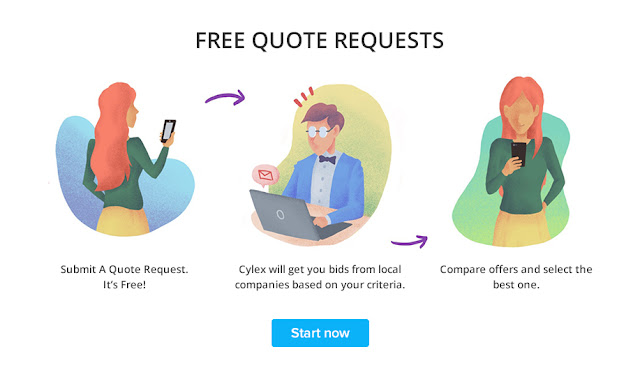
The process is simple, all you need to do is to tell us what you need by filling a form and we’ll get you bids from local pros interested in the job.
You can compare your quotes side-by-side, see their prices, reviews and business profiles.
Once you’ve finished checking your offers proceed and hire your favourite one.
You can chat with the companies, schedule appointments, and once the job is completed, post a review about your experience. Writing helpful reviews that others can learn from is a great way to be an active part of our community, and help everyone have better shopping experiences.
If you’ve changed your mind, or you accepted a better offer from outside our platform, you can just close your quote request at any time. Give us a feedback on why you closed the request. Your feedback is highly appreciated and will help us to improve our services.

How do I submit a quote request?


First, you need to go to https://www.cylex-uk.co.uk/quoterequest/. From here, you can access the
quote request form and fill in the following details:

  • What products or services do you need? (i.e., Greek Translation) 
  • Where do you need it? (i.e., Bristol) 
  • What do you need? (i.e., Describe the Product/Service, add specifications) 
  • Deadline (add the last day you wish to receive offers) 
From our experience and from our clients’ feedback it’s better to add as many details as you can in order for the companies to give you the best and fastest offer.
You can add if you have the following information:
  • Quantity (i.e., 1 page ) 
  • The price range you are willing to pay and other order observations if necessary 
  • File attachments (i.e., the document which needs to be translated) 
Once filled in, just click on Submit.
Cylex will then submit your request for quotation to the selected companies.

Is it free to submit a quote request?


Yes, the ‘Cylex Quote Request’ service is free to use.

Do all companies listed on Cylex respond to quote requests?


No, it’s up to each company owner if they want to quote through the quote request service or not.
Some of them are already booked, some don’t have the product on the stock, others simply don’t use
e-mail for communication purposes, etc.

Can Cylex guarantee that I get high-quality products/services?


No, that is way too much to ask for. This goes beyond what a quotation service can realistically offer.
The ‘Cylex Quote Request’ service is a great matchmaker, but it’s up to you and the company to sort things out. For example, you must provide clear product specifications, otherwise, you will not get what you’ve asked for.

Now What?


Let us do the work for you. Submit a Quote. It’s Free!


Thursday, 6 September 2018

Set Your Quote Requests Preferences and Win More Customers


Finding the right customers for your business is not always so easy. There's a lot to consider: from the location and the size of the job to the type of service or product, the customer is asking for. By setting preferences for the type of requests you want to receive, you can cut down on search time and focus your hard work on the jobs you most want to win.

It turns out that a seven-step approach works best for attracting new clients and keeping your existing ones, of course.


1. Know your business inside and out

Fully understanding your industry and having a firm knowledge of your product or service is important to be able to attract interested clients. The people who would be interested in your offerings can see how knowledgeable you are and will seek your assistance.

2. Focus on what you do best

When you set your preferences, put yourself in the customer’s shoes—ask what kinds of jobs you are the most qualified to do and only quote on jobs that fit within those service areas.

3. Make sure that your travel and location preferences make sense

These are really important for both you and the customer. If the customer is travelling to you, you should be close enough to make that trip worth their while.

If you’re coming to the customer, evaluate your travel costs against the job’s value so you can decide whether it’s a project worth quoting. And if you’re receiving too many requests for jobs that aren’t worth the transit cost, it might be time to adjust your preferences.

4. Opt-in for Email and Browser Notifications

These features are two of the easiest ways to engage with users and their quote requests.

  • Instant delivery – The notifications are delivered in real time to your email address and browser.
  • Increased Engagement – Push Notifications are delivered even when you are not on site. You can re-engage with the user on any browser or email provider.

5. Find your Quoting Mojo 

Really successful Pros find a way to assess jobs of different sizes (and price points) in a way that makes sense for their business. Don’t be intimidated if this doesn’t happen right away —reaching the right balance of big and small jobs can take time.

6. Don’t stop adjusting your preferences

The more you use Cylex, the more you’ll learn about your ideal customer. As this understanding develops, keep going back to the drawing board to update your preferences based on those learnings.

7. Follow Up - Customer Reviews Matter

After your efforts to bring in business, always remember to close the loop. So many leads and great conversations are wasted because you forget to follow up. Doing this simple step is sure to get your client base to grow.
Experience the power of customer reviews.
  • 73% of customers value the written review over the overall star rating (Fan and Fuel, 2016)
  • 68% of consumers look for either information on the reviewer’s experience, or problems the reviewer experienced when reading reviews (Fan and Fuel, 2016)
Throughout all of the statistics, one fact remains clear: customer reviews matter.
Regardless of if you already utilize reviews, or you're just getting started with a review strategy, you want recent reviews. (And as many of them as possible!)

Why Cylex Quote Requests?

Because every day, we have several thousand potential clients who request a quote on Cylex in every kind of category and in your area.

At the moment this feature is available for the following countries:

United Kingdom - https://www.cylex-uk.co.uk/quoterequest/
Germany - https://web2.cylex.de/angebotsanfrage/
USA - https://www.cylex.us.com/quoterequest/


Thursday, 8 March 2018

Thank you note for the Cylex ladies

We are off-track for a bit when it comes to our usual blog posts. This time, we don’t want to present you a new feature. Today we want you to get to know us a little better. The people behind Cylex. The busy bees, who gather and update data, those who try to improve your user experience daily.

We know that everyone should be appreciated all year around. However, since Women’s day is right around the corner, this post is dedicated to the ladies.
From data operator and customer support representative through programmer and secretary, the Cylex women are all awesome.

These ladies are not only hardworking but also perseverant. Besides offering their best at different projects, handling various tasks while also doing everything to make sure our customers are happy; they also bring a little extra to the table: their creativity and dedication. They are the ones who organize the team building events, the ones who find ways of giving a helping hand to charities, the ones who prepare the shows for the Christmas parties, the ones who come up with such ideas as the yearly Flower Power day that we have… and that’s just a few of the things why we are grateful to them.

Without these women, Cylex would be a little less. Less creative, less hearty, less cheerful. Yes, there would also be less chit-chat at meetings, but that is part of the deal, right?

Don’t worry guys, we didn’t forget about you either. We have many dedicated men, most of them programmers of course, who work day in day out to make sure our projects run smoothly. They have our recognition and thankfulness as well.
Teamwork gets us from point A to point B and that’s the most basic principle that we try to achieve. So, in short, that’s us: the Cylex people.

Below you can see some pictures of the above-mentioned ladies. This is our way of saying “Thank you girls and happy Women’s day to you all!”


Friday, 27 January 2017

Because ratings matter more than you think


What if you could make sure that customers see the excellence of your business?

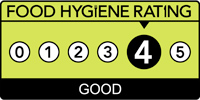
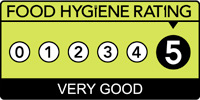
The newest feature of the Cylex presentation pages can be of help. This feature presents the Food Standards Agency ratings.

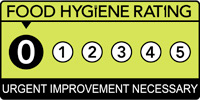
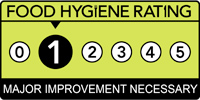
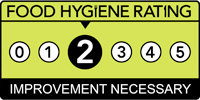
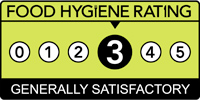
Nowadays, ratings speak for themselves. The Food Standards Agency is the most trusted source when it comes to food quality in the UK. Following a hygiene inspection of the premises by a food safety officer you will be rated. A business can receive one of these hygiene ratings:


fhrs_0_en-gb.JPGfhrs_1_en-gb.JPGfhrs_2_en-gb.JPG

fhrs_3_en-gb.JPGfhrs_4_en-gb.JPGfhrs_5_en-gb.JPG

What do the ratings tell us? They speak about the way in which food is prepared, cooked and stored. They also reflect the cleanliness of the places, where the food is served or sold and the way in which businesses are managed.

More and more people rely on the Food Hygiene Rating Scheme (FHRS), thus choosing where to eat or buy food based on the information provided by it.

With this in mind, we have created a separate section on each presentation page, where these ratings will be displayed.


Why? Because we want to help both customers and businesses.
Naturally, this data is essential for customers, because it is a decisive factor. For instance, seeing that according to the FHRS a restaurant has got a good rating is all that it takes to be convinced of the food's quality.

What's in it for companies?

Since every company in the food industry has or will have such a rating on the Food Standards Agency's site, it is better for company owners to know about it sooner, rather than later.
If your business has received a good rating, it's simple. You'll see that the same rating will be shown on your Cylex presentation page and it will attract even more potential customers while ensuring the trust of your clients.

In case your business has got a rating that is not so good, don't get alarmed. You can certainly turn things around. In order to change this rating, you need to get in touch with the Food Standards Agency and ask them to re-evaluate your business. After the rating on their website is changed, we will automatically display the new rating on your Cylex presentation page as well.

All in all, this is a great way of showing clients that you truly care about them. What better way of doing that than having quality food, served or sold in a clean environment and displaying the ratings for it?

Monday, 14 November 2016

Social Media Icons and the Google Knowledge Panel


Google My Business and the Google Knowledge Panel represent very effective ways of raising brand awareness and increasing the number of your clients. Why? Because they have a great impact on potential customers.

Firstly, Google My Business is the best tool for companies and organizations to manage their presence across the Google platforms, so it’s important to have accurate and complete information on it.

Secondly, the knowledge panel appears next to the search results in Google when someone performs a specific search and it displays various data, most importantly: brand/company name, logo, description and contact information.


With the help of structured data markup, business owners can customize their company's panel to show their social profiles as well. More information on the Social Profile Links can be found here.

This is exactly what we had in mind when we added a new format to the code snippet of the 'Cylex Social Media Icons' option. This new coding format not only helps in displaying all your social media profiles on your website, but it can also help in making sure your social media icons are displayed in the Google Knowledge Panel, as well as in Google My Business.
What should you do to enjoy these benefits? Integrate the Cylex Social Media Icons to your website. Using this option is a lot easier than it sounds and of course, you can use it for free. Here is our previous post, which is a step-by-step guide to walk you through the process of using this option.

The more exposure your social media profiles get the better are the chances of your business having a lot of new customers. Don't wait for the number of your customers to maybe increase someday … make sure this happens tomorrow!

P.S. If you already have these icons integrated on your website, but they don't appear on the Google Knowledge Panel, it means they're not integrated correctly. Follow the above steps and the road to success is guaranteed.

Tuesday, 25 October 2016

10+1 Tips for improving your visibility on Cylex


Wouldn’t it be nice to rank #1 on Cylex? Many of our customers turned to us with the same question. Get some answers and insights into our ranking process. Check out the key elements of increasing a company’s visibility on Cylex.

1. Categories (Relevance factor)

Our ranking algorithm is based on categories and keywords. That's why you should add relevant keywords to your Cylex profile and double check your categories.

2. Positive reviews (Review+ factor)

Nothing proves your company's worth more than having happy customers. Why not make sure everybody knows about them? Ask your satisfied clients to write a review about your company. You can do that by email after a successful business transaction or you can use our review widget to encourage them. For even more visibility, share the reviews on your social media profiles.

3. Accurate and new info (Freshness factor)

Update your presentation page regularly. Correct and detailed information is a key factor. Even if there are no significant changes in your contact details, you can keep your page updated by always adding something new to it. Inform your clients about events, share articles and news or simply add a new photo to your gallery.

4. Special offers (Special offers factor)

Clients love discounts and offers. What you might consider a small discount, can be a decisive factor for customers. Though their effect is limited in time, you may add new offers or re-add your older ones. Don't forget to share these offers on the social media platforms as well.

5. Opening times (OH factor)

Since this is one of the most requested details, the profiles that have opening hours will rank higher in our directory. FindOpen, our partner website will also display these opening hours.

6. Answer quote requests (RFQ factor)

Sending offers for the quote requests that you receive from your business category has a positive impact because winning offers can also earn you a higher ranking in our directory, not to mention the new customers that you can gain. A review from a 'Cylex Quote Requests' customer has even more value.

7. Interview (Media factor)

This unique feature allows you to present your business in a detailed manner. Request an interview and share it on social media sites to increase its popularity as well as the awareness of your brand and also your company’s products and services.

8. Social media (Popularity factor)

Sharing your Cylex profile on social media sites (Facebook, Twitter, Google +1s are important!) is another good way to achieve your goal. This way you will have more links towards your profile. More links equal more visitors which results in a high popularity factor.

9. Unique description (Popularity factor)

One of the foremost 'rules' of SEO is having a unique description. Tell visitors why should they choose your company, what differentiates you from your competitors. It’s a fact that profiles with unique descriptions have more internal links on Cylex, thus their popularity factor is also higher.

10. Visual content (Popularity factor)

Add your company's logo, images and upload/embed videos. Your visitors will love and appreciate these.

The +1

Do you wish to remove the ads and the nearby similar companies sections from your Cylex profile? Try our Premium Entry option and convince yourself of its advantages! A premium entry is displayed in the first position of the Cylex search results, thus having 4 times more visitors. 
Stop wondering how to gain more visibility on our directory, now you have the way. Just follow these tips and if you require assistance, we are more than happy to help. We can assure you these tips will also help your ranking in other business directories and in Google’s result pages in general.

Thursday, 15 September 2016


How to use the new Social Media Icons
Step-by-step

We all recognise the important role social media platforms play in the life of businesses today. This is why we have released our newest feature for business owners who have a presentation page in the Cylex Business Directory. With the help of our 'Social Media Icons', you can make sure that customers and potential customers get the overall image of your company.

Integrating these icons to your website is not as difficult as it seems. Actually, it is pretty easy and straight-forward. We will walk you through the process step by step.

First, you should sign in to your presentation page by doing the following: click on the 'Sign in' button from the upper right corner of the page, select the business directory sign in and complete the necessary fields (Company ID or Email and Password) to access your dashboard.

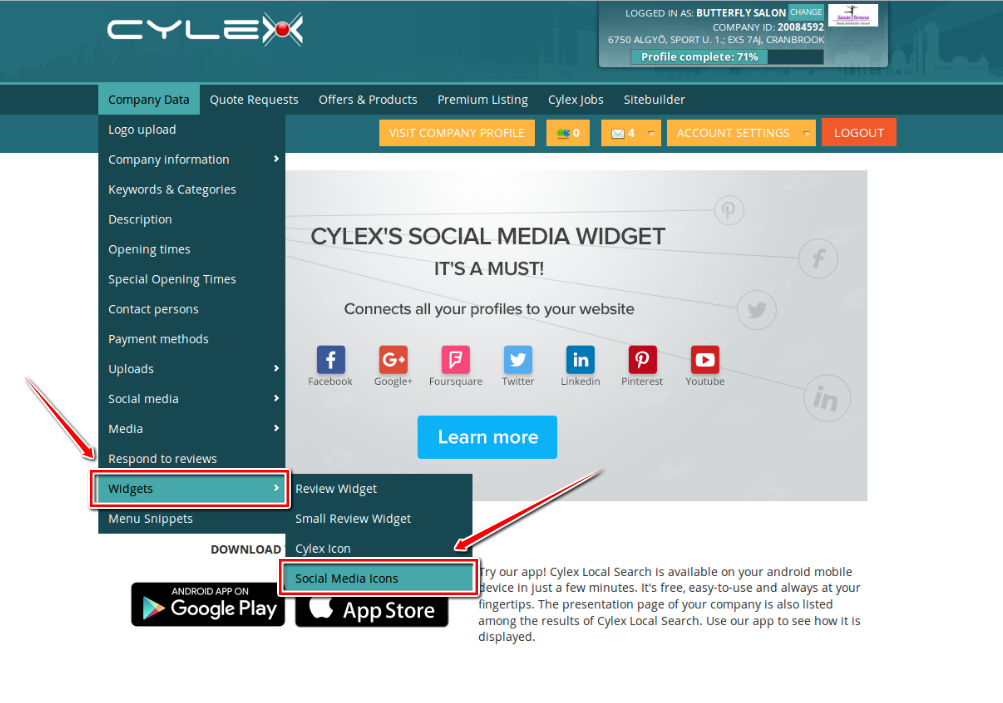
Once you are in, select 'Widgets' then 'Social Media Icons' from the 'Company Data' drop down menu:


In case you haven't added any of your company's social media profiles to your presentation page yet, the 'Social Media Icons' page will look like this, containing only the Cylex icon for the moment:


Otherwise, if you have already added your social media accounts, you will find an icon for each of the completed profiles on the page:


Next, you have to select a size for your icons. Choose between big, medium and small. You will see that when you select a size, the icons will change in the 'Preview' section:


Now let's go to the next step, which is choosing the text colour of the icons. Click on the 'Font colour' tab and choose the most suitable colour for your website from our colour pallet.


If you already know what colour code you want, just insert it in the box next to the 'Font colour' tab.


After you have selected the appropriate size and colour, click on the 'next' button, from the lower-right part, to customise the icons. You can check the 'Icons only' box to display the icons without the names of the social platforms and you can customize the 'Heading' part, if you want to change the “Find us on:” heading to something else. Remember, everything that you try here will be visible in the 'Preview' section, to give you an idea about how these icons will look like on your website.


Now comes one of the most essential parts. Choose which icons to show or hide by checking or unchecking the check-box next to the specific social media platforms:


Then, if you have other profiles that are not completed yet, simply click on the 'Edit' button, under the check-box and next to the platform's name, fill in the necessary information and click on 'OK'.


8blogpost.png

When you are done, click on the 'next' button to go to the last phase of your work. What you will see here is a code snippet that needs to be integrated into the HTML code of your website. Don't get alarmed, we know that this might seem a little scary, but using it will be easier than you can imagine. You should simply copy the whole code snippet from the box and then go to your website and paste it into the HTML code.


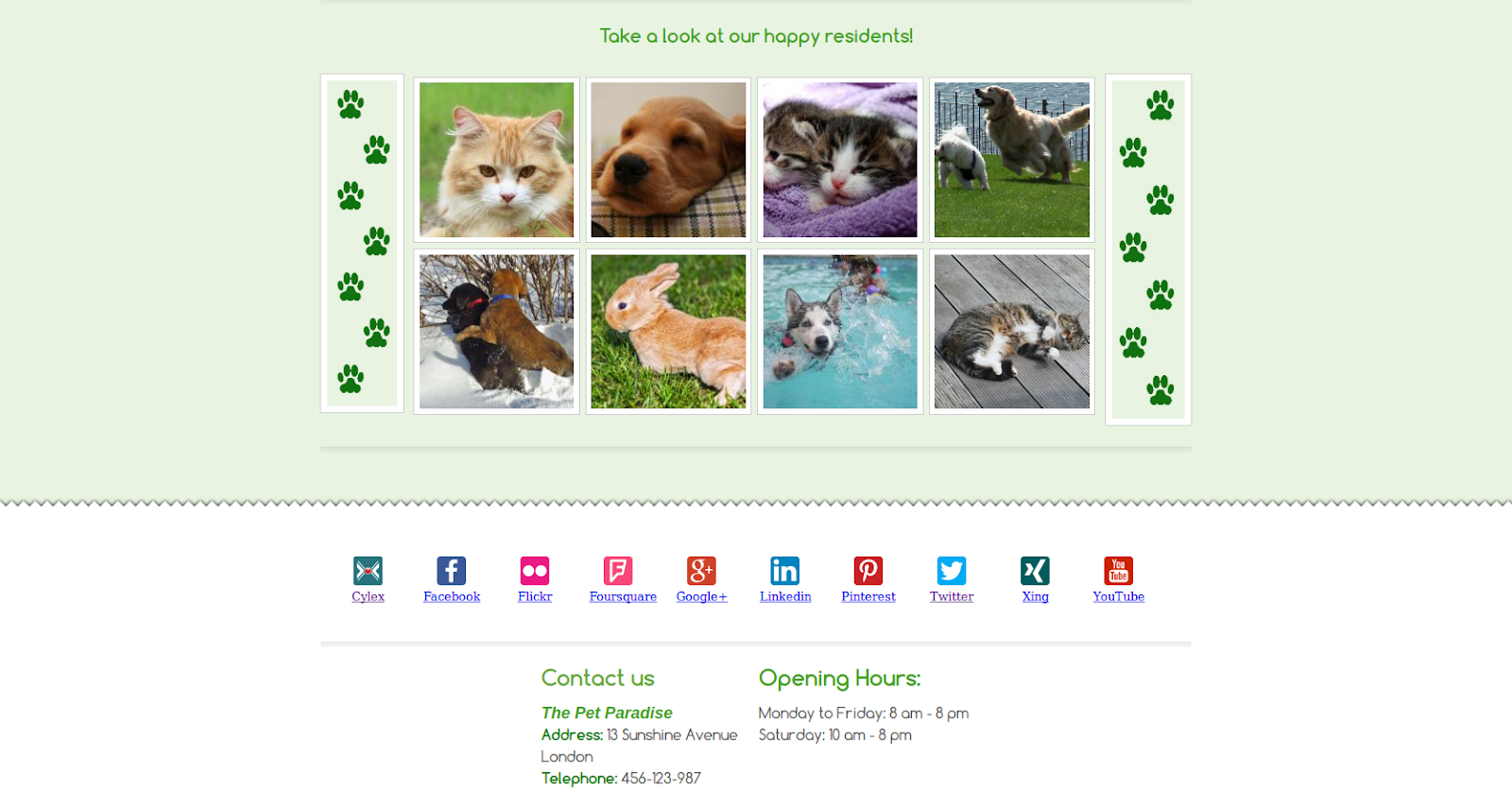
This is it! After you have integrated the code snippet, the icons will be displayed, linking to each one of your profiles, just like it is shown in the picture below. This way your customers will find every important info about your company's social media presence and activity in one place.

10b-blogpost.png


If you have experience in using HTML, you are welcome to change the code the way you like it. You can add nofollow links, change the way in which the icons are displayed etc. It is up to you!

Here's just one more thing everyone should know about. Do you have a unique website design with colours that don't go with the colours of the Cylex icon? No worries! We have the solution. Just sign in to your account, go to the 'Widgets' menu item and ask for a personalised Cylex logo.

Our team will create one for you, that is the perfect fit for the design of your website. Of course, all of this is for FREE! So all you have left to do is to sit back and enjoy the perks of having a Cylex presentation page.

When it comes to Google+, you have one more option, that is pretty useful in boosting your SEO efforts. You can add a link from your Google+ page to your Cylex profile by following some simple steps.
Sign in, if you are not already signed in, then click on the ‘About’ tab.

In case you haven’t added any links to your profile yet, click on the ‘+’ sign from the lower left corner of the page, click on ‘Sites’ and add the Cylex profile to the ‘Other profiles’ field.

If you have already completed the ‘Other profiles’ section, then you only have to click on the grey pencil to edit it and add your Cylex profile to the ‘Other profiles’ field.


Choose how you share this information on your Google+ profile. We suggest you make it ‘Public’ to help your customers find you in Google search results more easily.


Using these icons will create bridges between every profile that your company has, so customers can cross from one platform to the other, reaching the most comprehensive picture of your business. Don't miss out on offering them this chance!

Related Posts Plugin for WordPress, Blogger...